My Ride
Designing a peer-to-peer car sharing platform that prioritizes transparency, trust, and ease of use for both car owners and renters.
Role
Lead Ux Designer
Timeline
4 Weeks
Team
5 UX Designers
Tools
Figma, Google forms, Google slides, Jira, Slack, Adobe Photoshop
ABOUT
The Vision
My Ride is a car sharing app that connects individual car owners with renters, making car rentals simpler, more accessible, and transparent. Our vision is to revolutionize car sharing through credibility and competitive pricing.
As part of a 5-person team, I led user interviews, helped synthesize research findings, and contributed to the UI design for key features.
The Problem
Traditional car rental processes are slow and inconvenient with long wait times, paperwork, hidden fees, and limited vehicle access.
The Solution
An app that prioritizes intuitive navigation, transparent pricing, enhanced security, and a community-driven trust system.
RESEARCH
Quantitative Survey
We surveyed 32 participants to understand car rental behaviors and preferences.
58%
Prefer rental companies over car sharing apps
51%
Say price is the most important factor
80%
Want reviews and ratings feature
QUALITATIVE RESEARCH
User Interviews
We conducted 7 in-depth interviews with both car sharing users and non-users.
Users WHO HAVE used car sharing
Reviews are most important
Credibility from verified customers
Price is second priority
Transparent, out-the-door cost
Safety concerns
Want verified vehicle inspection
Users WHO HAVEN'T used car sharing
Safety is top concern
42% don’t want to rent another person’s car
Credibility issues
Need in-depth background checks
Insurance concerns
Want to use their own insurance
SYNTHESIS
Behavioral Archetypes
We identified two key user types with distinct needs and pain points.
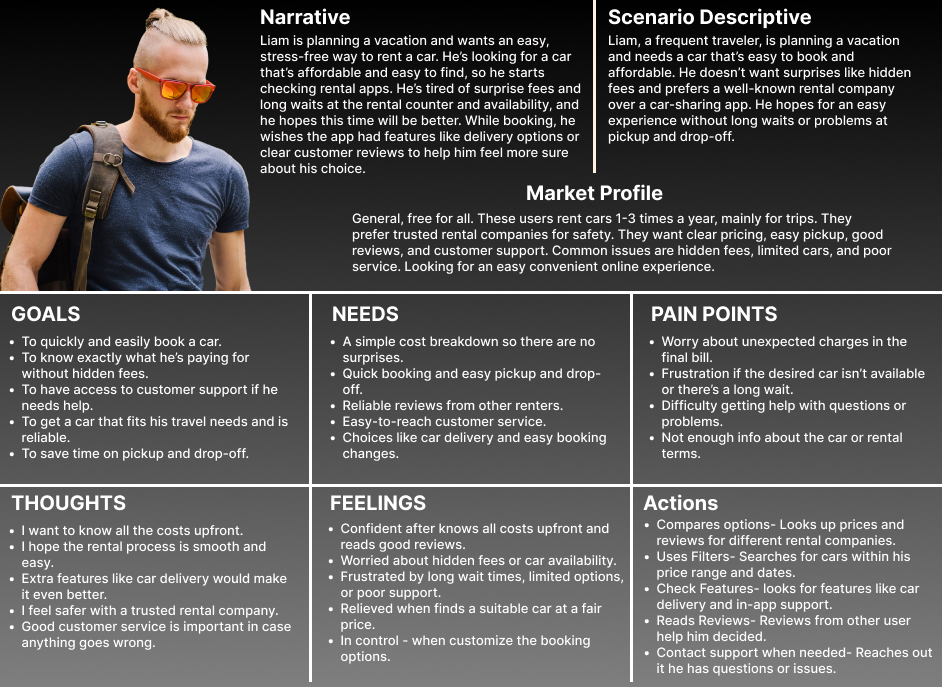
Liam
The Experienced Renter
Planning a vacation and wants an easy, stress-free way to rent a car. Tired of surprise fees and long waits.
Goals: Quick booking, transparent pricing, reliable car
Pain Points: Hidden fees, long wait times, poor support
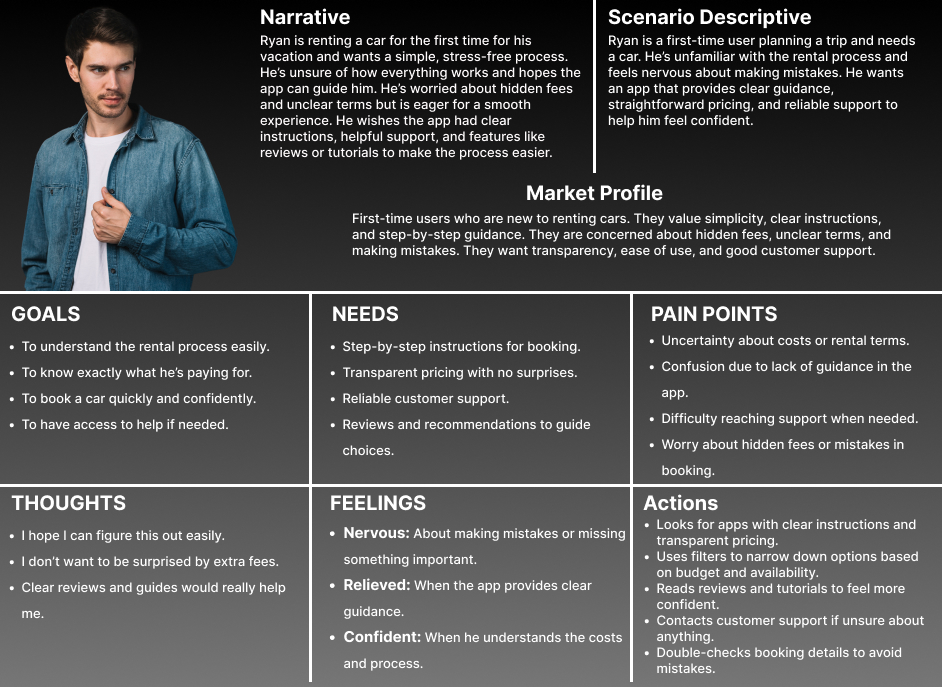
Ryan
The First-Time User
Renting a car for the first time and wants a simple process. Nervous about hidden fees and unclear terms.
Goals: Understand the process, clear pricing, easy help
Pain Points: Confusion, uncertainty, lack of guidance
ANALYSIS
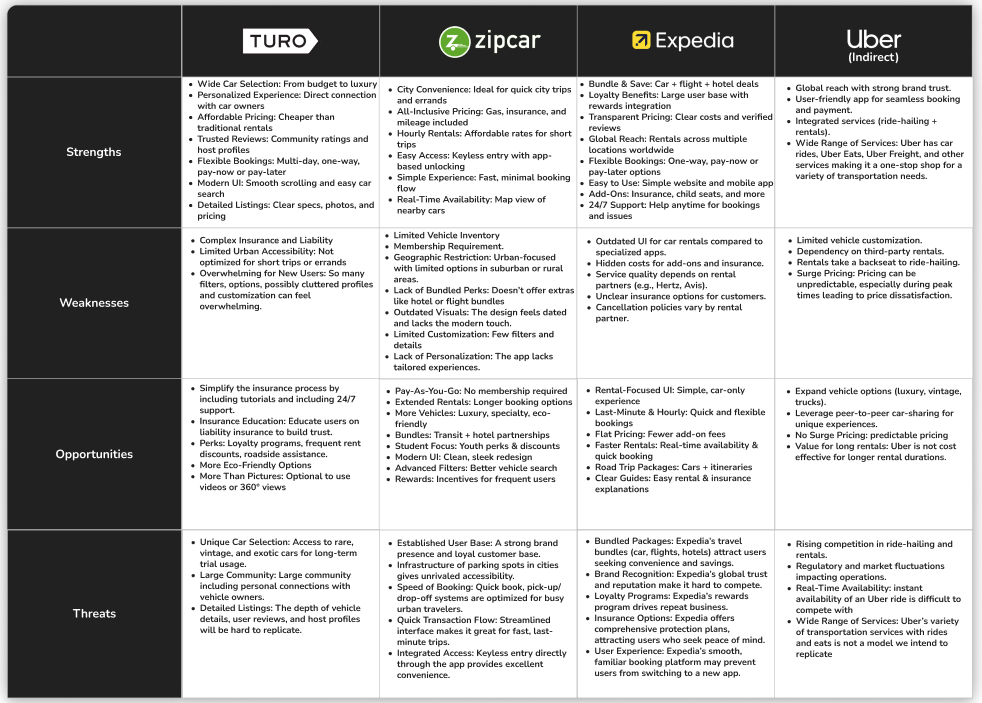
Competitive Analysis
We analyzed Turo, Zipcar, Expedia, and Uber to identify opportunities.
Our Competitive Advantage
- Combine Turo’s car selection with Zipcar’s ease of use
- Transparent pricing with no hidden fees
- Easy-to-understand insurance options
- Videos and 360° views for car listings
- In-app rewards for frequent users
- Eco-friendly vehicle options
SOLUTION
Design with Intent
Using a Creative Matrix and MoSCoW Chart for prioritization, our design focused on three pillars:
All-Inclusive Pricing
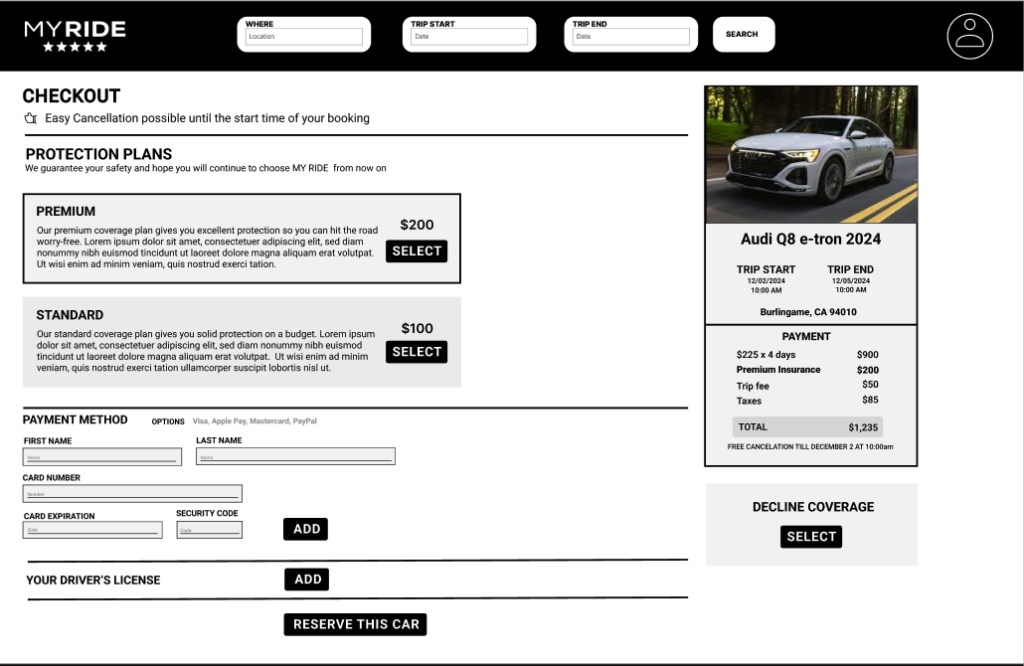
We integrated insurance and add-on costs into the upfront price to eliminate “final bill” anxiety
Verified Credibility
Prominent, verified user reviews and enhanced background checks were implemented to address safety concerns.
Seamless Onboarding
We designed a “contactless access” flow with instant booking to reduce friction
DESIGN PROCESS
Low- to Mid-Fidelity Sketches
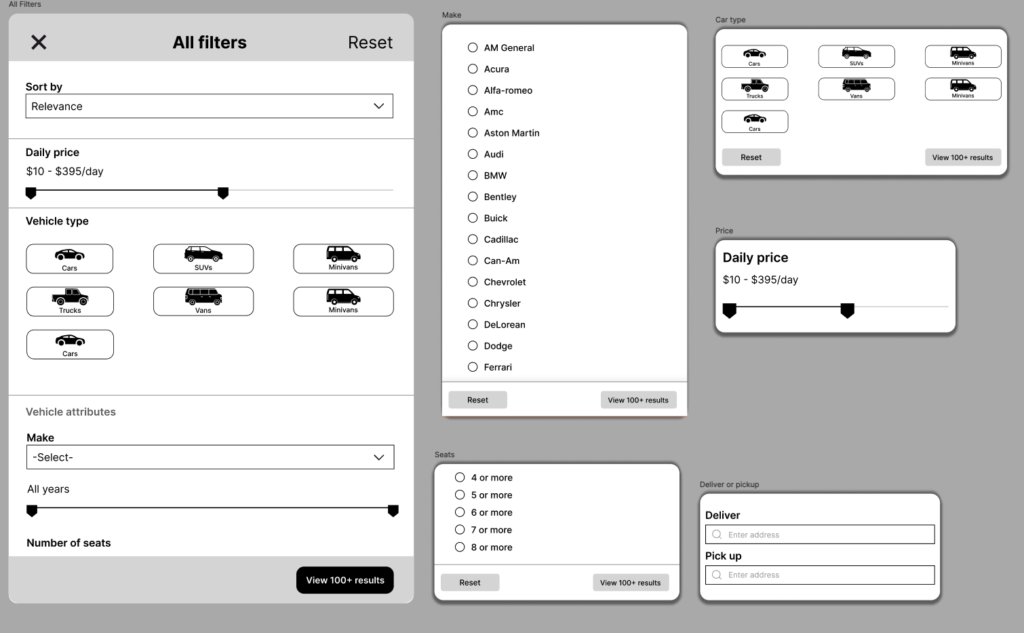
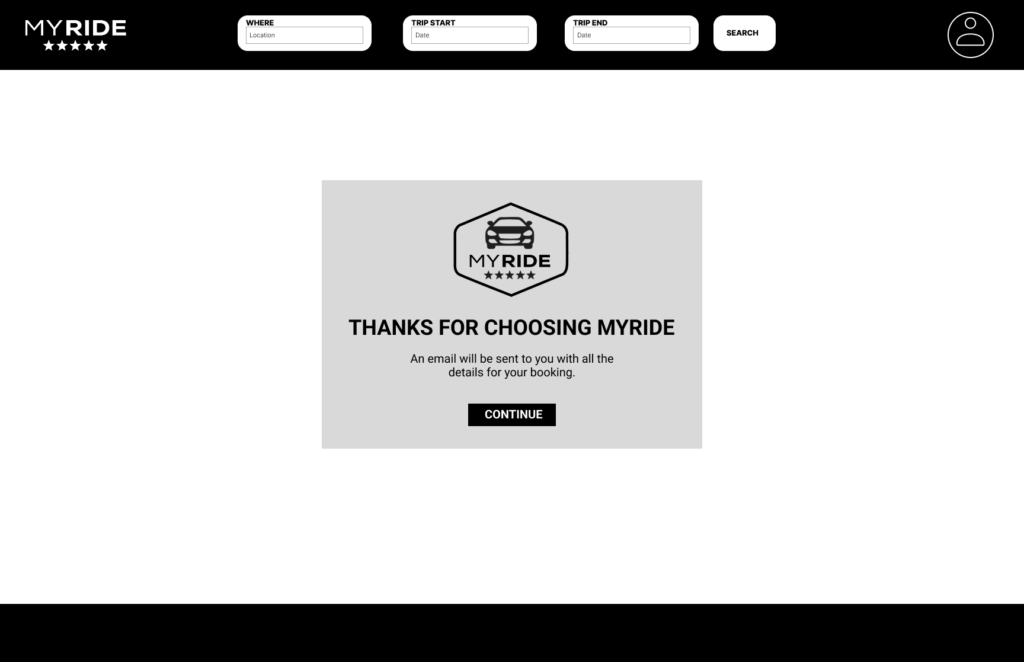
We designed low- to mid-fidelity wireframes to plan the layout and structure of the app. These wireframes focused on key screens such as search, car details, booking, and checkout — helping us test ideas early, improve user flow, and gather feedback before building a high-fidelity prototype.
USABILITY TESTING
Design Iterations – Homepage
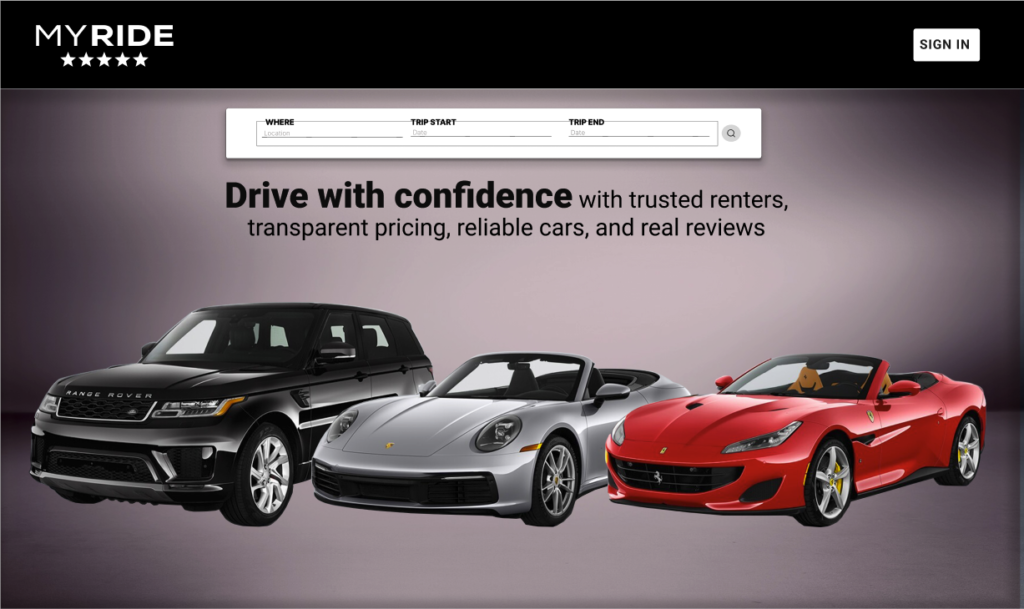
Through usability testing, we identified key problems with the mid-fidelity homepage and iterated to a high-fidelity solution.
Version 1: Mid-Fidelity Homepage
- Navigation menu missing – Users didn’t know where to go or how to explore the site.
- Search bar too simple – Lacked clarity for pickup/return locations and dates.
- Only one sign-in button – Users looked for a separate sign-up option.
- Design felt too flashy – Luxury cars made it feel exclusive and unrealistic.
- Text and buttons cramped – Layout looked crowded and cluttered.
- Search experience unclear – No instructions or flow indicators.
Version 2: Improved Homepage (Post Usability Testing)
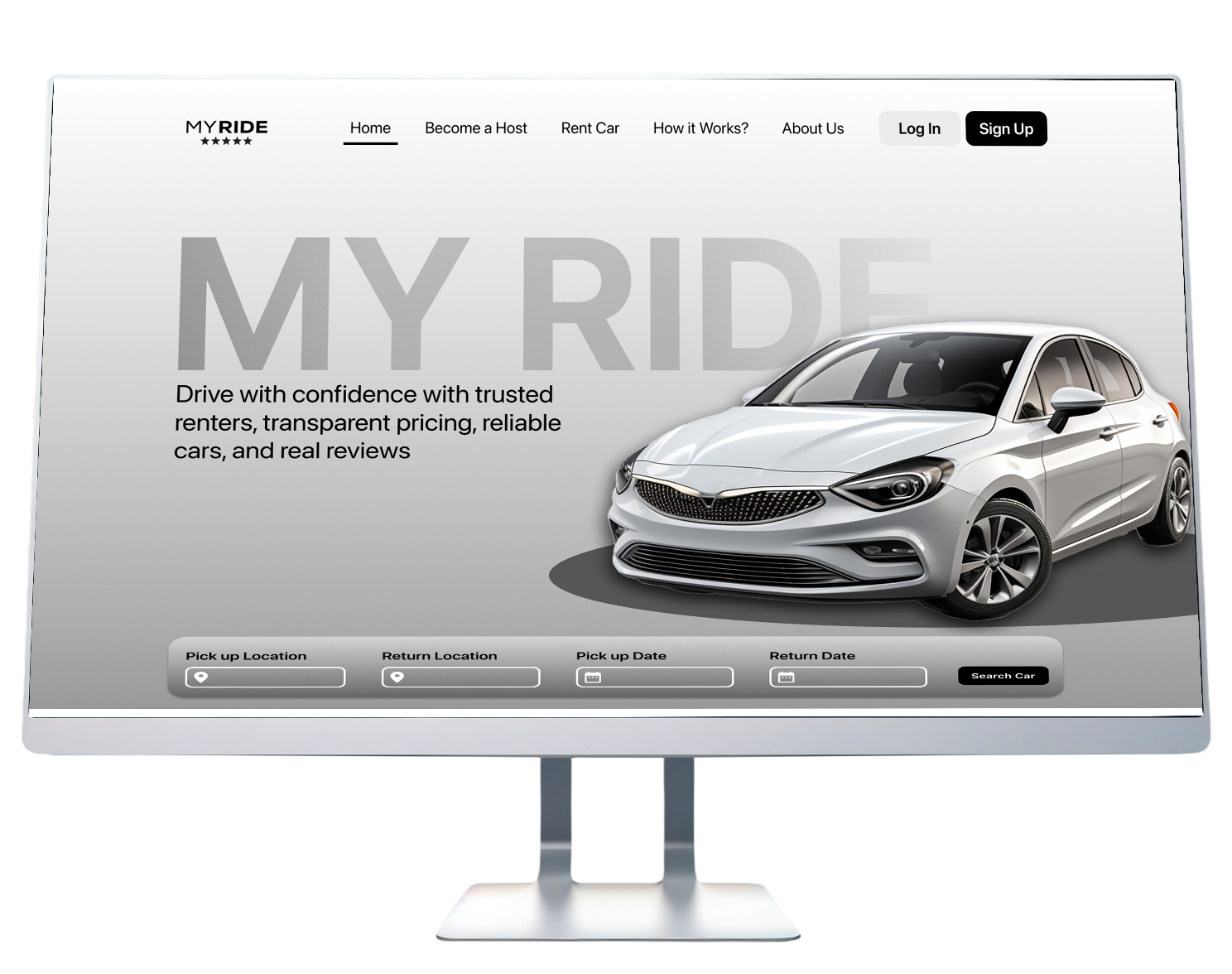
✓ Added a top navigation bar with clear links (Home, Become a Host, Rent a Car, etc.).
✓ Added labeled fields for Pick-up Location, Return Location, and Dates.
✓ Added both “Log In” and “Sign Up” buttons for clear call-to-action.
✓ Replaced image with a more relatable car to appeal to everyday users.
✓ Improved spacing, alignment, and visual balance for a cleaner interface.
✓ Added a structured search layout and a “Search Car” button.
Design Iterations – Search Results
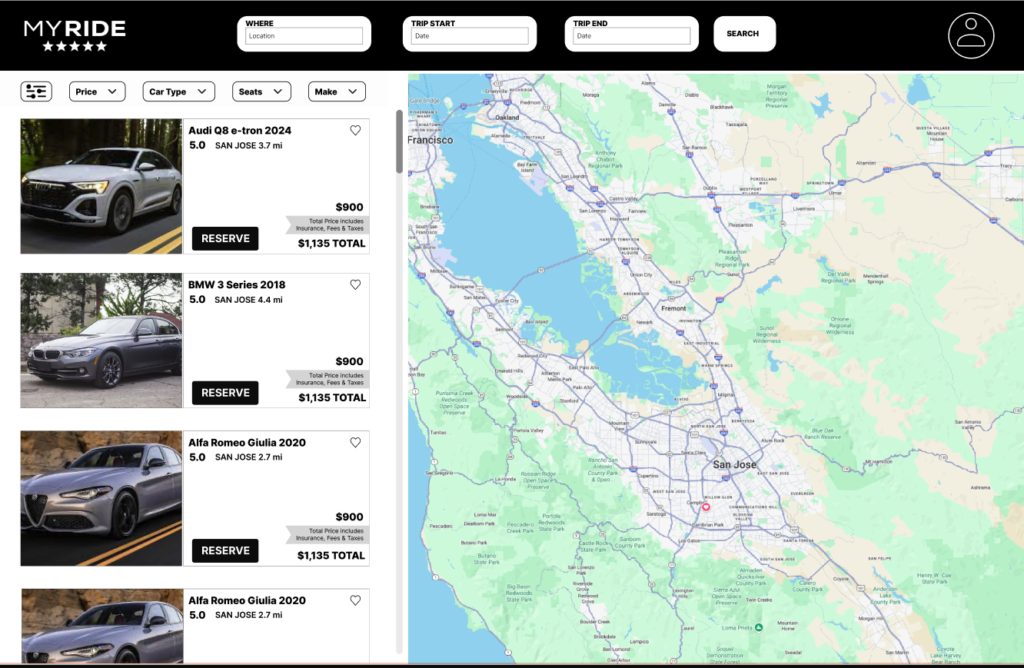
The search results page was also refined based on usability feedback to improve clarity and trust.
Version 1: Initial Search Results
- Price wasn’t clear – Users unsure what’s included in the cost.
- “Reserve” button confusing – Users expected a clearer action label.
- Missing car information – No seats, luggage capacity, or specs.
- No car highlights – Nothing to differentiate or recommend vehicles.
- Map felt plain – Unclear location markers and no context.
- No way to ask for info – No contact or inquiry option.
Version 2: Refined Search Results
✓ Added a label indicating price includes fees and insurance.
✓ Changed button text to “Choose” for better clarity.
✓ Added car info with icons (seats, luggage, mileage) for easy comparison.
✓ Added tags like “Top Pick” to highlight recommended vehicles.
✓ Added “Important Info” and “Email Quote” buttons for inquiries.
RESULTS
Design Outcomes
01
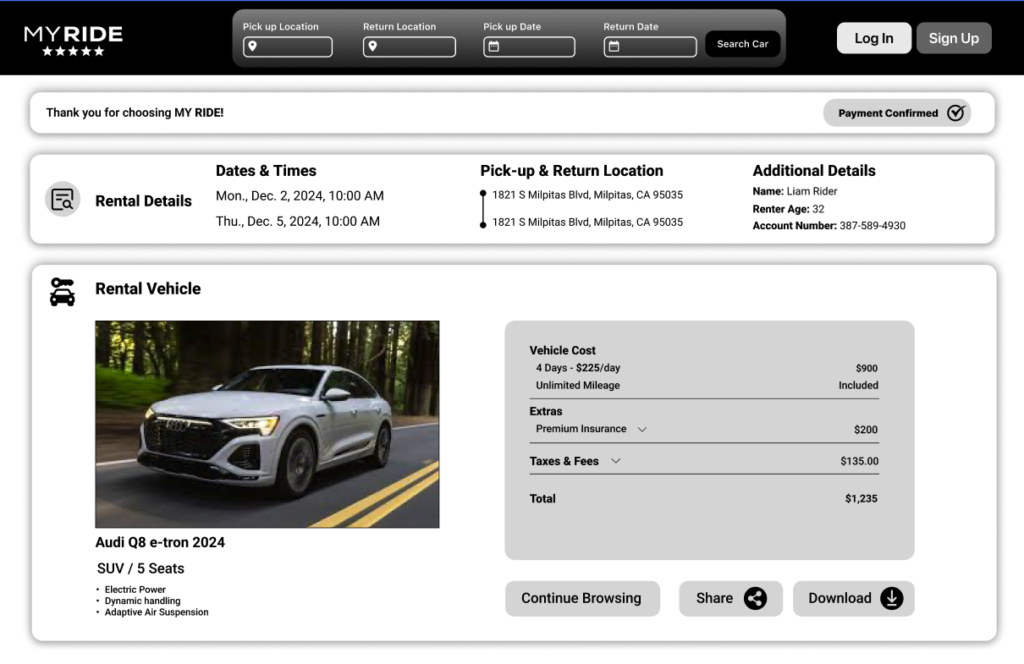
Transparent pricing with upfront cost breakdown and no hidden fees
02
Comprehensive reviews and ratings system with verified renters
03
Car delivery and pick-up options for maximum convenience
04
In-app customer support with real-time chat for quick issue resolution
High-Fidelity Prototypes
The final website design made car rental simple, clear, and trustworthy. After incorporating user feedback, people found it easy to book a car and understand the full cost without confusion.
REFLECTION
Key Learnings
Working in a team of 5 designers taught me the importance of clear communication and collaboration. Regular check-ins and shared documentation were essential for staying aligned.
The combination of quantitative surveys and qualitative interviews provided a comprehensive understanding of user needs. Numbers showed what users do; interviews revealed why.
Trust is the biggest barrier in peer-to-peer marketplaces. Our design decisions-from reviews to insurance education-all focused on building and maintaining trust.